LED Data Center Lighting
- LED panels and linear fixtures available for grid or open ceilings
- Dimmable and sensor-controlled options for energy management
- USA-based product selection and specification support available


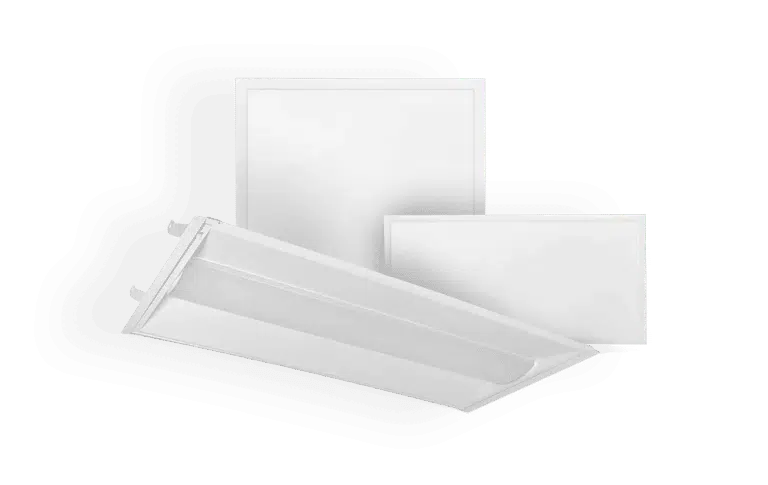
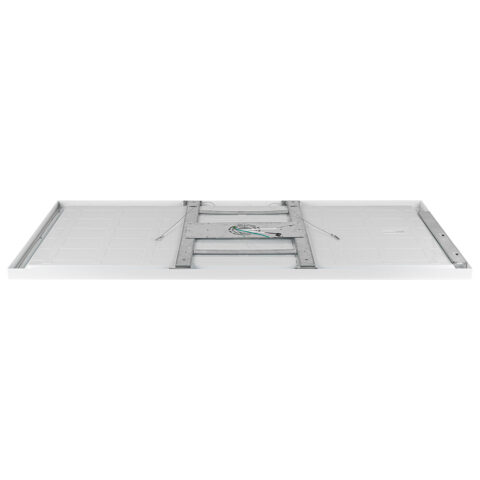
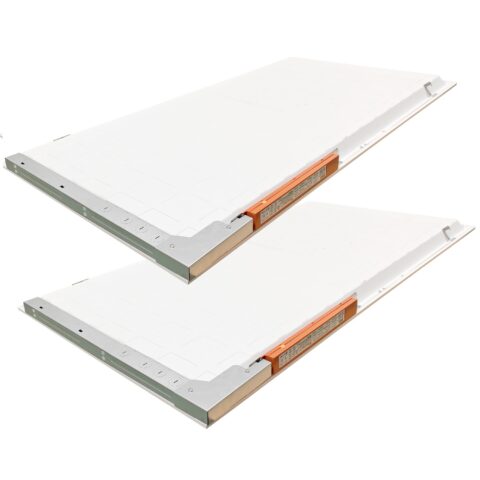
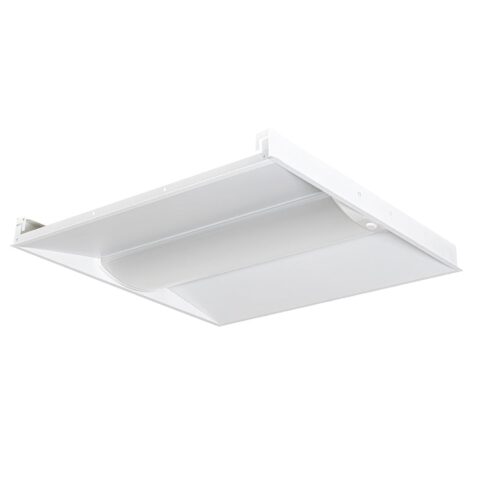
Our Data Center LED Lighting and Fixtures include 2×2 and 2×4 LED panels, linear fixtures, low bay lights, vapor tight fixtures, and task lighting. Available models include 4000K and 5000K color temperatures, dimming, color-adjustable, sensor-controlled, and emergency backup options.
These fixtures are commonly used in server rooms, data halls, network closets, repair areas, storage rooms, corridors, electrical rooms, mechanical support spaces, security areas, and monitoring rooms.










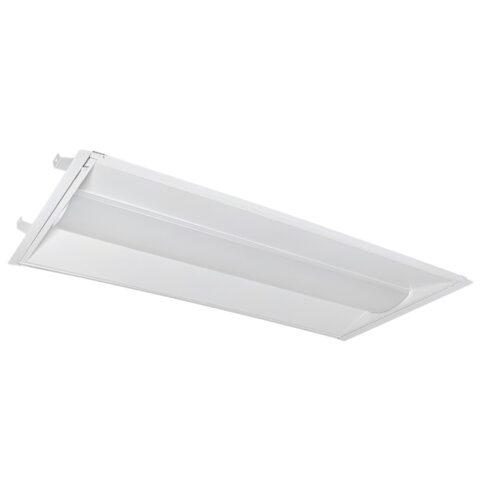
LED Data Center Lighting for Mission-Critical Environments
LED data center lighting is designed for server rooms, data halls, network closets, repair areas, storage rooms, corridors, electrical rooms, mechanical support spaces, and security or monitoring areas where reliability, visibility, energy use, and heat management matter. These facilities often operate around the clock, so fixture selection should account for uptime, maintenance access, controls, emergency lighting, UPS compatibility, equipment clearance, and electrical system requirements.
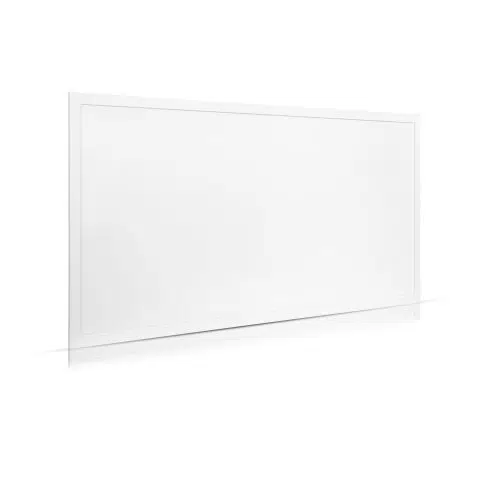
For many data center spaces, 2x2 LED panels and 2x4 LED panels are a common fit for standard grid ceilings. Linear LED fixtures, low bay fixtures, vapor tight fixtures, or task lighting may also be appropriate depending on ceiling type, equipment layout, environmental exposure, and work area requirements. 4000K and 5000K color temperatures are commonly used for technical spaces, with 4000K offering a balanced commercial appearance and 5000K providing a cooler-white appearance that may be preferred for inspection and maintenance work.
Many data center lighting projects involve replacing fluorescent, metal halide, or older HID fixtures with LED panels or other LED fixtures. Properly selected LED lighting can reduce maintenance, improve control compatibility, support dimming or occupancy strategies, reduce lighting energy use, and provide more consistent light levels in mission-critical spaces. Lower lighting wattage can also reduce lighting-related cooling load compared with older, less efficient lighting systems.
Selection and Installation Note: Product specifications, ratings, controls, certifications, selectable settings, and warranty coverage vary by model. Confirm the selected product specification before ordering. For code-sensitive, electrical, emergency, UPS-backed, EMI-sensitive, mission-critical, or safety-critical applications, verify requirements with your local inspector or a licensed electrical professional.
Choose Data Center Lighting by Fixture Type, Controls, or Retrofit Need
Start with room function and ceiling structure to identify the fixture type, then confirm the light levels needed for each zone, fixture clearance, controls, emergency lighting, UPS compatibility, and whether the project is a retrofit or new installation. Use the table below to identify the best starting point before comparing individual fixtures.
| Lighting Option | Best Used For |
|---|---|
| 2x2 LED Panels | Grid ceiling areas, network closets, monitoring rooms, corridors, office-adjacent technical spaces, and smaller rooms where a compact panel layout fits the ceiling system. |
| 2x4 LED Panels | Server rooms, data halls, staging areas, repair rooms, storage areas, and larger grid ceiling spaces where broader coverage and fewer fixtures may be preferred. |
| Dimmable LED Panels | Operations rooms, monitoring areas, and spaces where light levels need to be adjusted for screen visibility, night shifts, maintenance, or energy management. |
| Color Adjustable LED Panels | Retrofit or new-installation projects where selectable CCT can help match adjacent lighting or standardize fixture inventory. Confirm how the specific fixture's color temperature is adjusted, because some models require the CCT to be selected at the fixture during installation or commissioning, while others may provide more accessible or control-based adjustment after installation. |
| Linear LED Fixtures | Equipment rows, utility rooms, mechanical support rooms, service corridors, and spaces where linear layouts fit better than panel fixtures. |
| Task Lighting | Repair benches, diagnostic areas, equipment staging zones, and detailed work areas where local task visibility is more important than general room lighting alone. |
| Emergency Backup Lighting | Corridors, egress routes, equipment rooms, and code-sensitive spaces where illumination may be required during power loss. |
| Sensor-Controlled Lighting | Storage rooms, corridors, support areas, and intermittently occupied spaces where occupancy controls may reduce energy use without compromising safety. |
When LED Data Center Lighting Is the Right Fit
LED lighting is a strong fit for data centers when the project requires reliable operation, low maintenance, controlled light levels, reduced energy use, and compatibility with modern controls. Standard fixtures should not be selected without confirming ceiling compatibility, electrical requirements, emergency lighting, UPS behavior, and equipment clearance.
| Use LED Data Center Lighting When | Do Not Use Standard Fixtures When |
|---|---|
| Mission-critical uptime matters and the facility needs long-life fixtures with reduced maintenance access requirements. | The fixture lacks required safety listings or does not meet the electrical, emergency, or facility requirements for the space. |
| Energy use and heat management matter because lighting efficiency can affect operating costs and cooling load. | The existing electrical system has not been reviewed for voltage, controls, inrush current, circuit loading, or UPS compatibility. |
| Smart controls are needed, including occupancy sensors, 0-10V dimming, daylight controls, or BMS integration. | Emergency systems are untested and the project depends on battery backup, UPS-backed lighting, or egress lighting performance. |
| Technicians need consistent visibility for rack access, monitoring, diagnostics, repair work, storage, and safe movement through support spaces. | Fixtures will be installed too close to equipment air intakes, server racks, cable trays, or maintenance access areas. |
| Fluorescent, metal halide, or older lighting systems are being replaced and the facility wants lower maintenance and better control compatibility. | Mechanical rooms or equipment areas have vibration exposure and the selected fixture or mounting method has not been reviewed for that environment. |
Choosing Data Center LED Lighting by Ceiling Type, Light Levels, Controls, UPS Compatibility, and Equipment Clearance
Data center lighting should not be selected by wattage alone. The right fixture depends on room function, ceiling type, mounting height, light-level requirements, color temperature, controls, emergency lighting, UPS compatibility, rack layout, air-intake clearance, and maintenance access.
A photometric plan is recommended for data halls, server rooms, repair areas, NOC spaces, security rooms, corridors, and other mission-critical areas where fixture placement, light levels, uniformity, glare, controls, or emergency lighting need to be confirmed before ordering.
Planning Checklist
| Planning Factor | What to Confirm |
|---|---|
| Room function | Server rooms, repair areas, storage rooms, corridors, network closets, electrical rooms, staging areas, and monitoring spaces each require different fixture layouts and light levels. |
| Ceiling type | Confirm whether the space uses a grid ceiling, open ceiling, hard ceiling, pendant mounting, surface mounting, or specialty mounting around racks, cable trays, or mechanical systems. |
| Fixture type | 2x2 and 2x4 LED panels are common for grid ceilings. Linear fixtures, vapor tight fixtures, low bay fixtures, or task lights may be better for support rooms, utility spaces, or non-standard ceilings. |
| Light levels | Confirm required foot-candle levels by zone. Routine monitoring, detailed repair work, storage, corridors, and operations rooms do not all require the same light level. |
| Color temperature | 4000K and 5000K are common choices for technical spaces. Keep color temperature consistent within the same visual area unless there is a specific operational reason to vary it. For selectable-CCT fixtures, confirm the available settings and how adjustment is made before installation so the project team knows whether changes can be made during installation, commissioning, or later service. |
| Selectable CCT access | Determine whether the CCT switch is located on the fixture, driver, junction box, remote control, wall control, or networked control system. If adjustment requires access above a ceiling or inside the fixture, select and document the desired CCT during installation or commissioning. |
| Dimming and controls | Confirm compatibility with 0-10V dimming, occupancy sensors, daylight controls, remote controls, timers, or BMS systems before ordering. |
| UPS and emergency lighting | Confirm whether fixtures must operate on emergency circuits, battery backup, generator power, or UPS systems. Test compatibility where emergency operation is required. |
| Electrical load and inrush current | Review voltage, circuit loading, switching behavior, and inrush current when multiple LED fixtures turn on at the same time. |
| EMI-sensitive equipment | Where lighting is installed near sensitive IT, network, or monitoring equipment, review the selected fixture's published electromagnetic-emissions information, control equipment, grounding, and wiring approach with the facility's IT and electrical teams. |
| Equipment clearance | Review fixture placement around server rack air intakes, cable trays, overhead equipment, access aisles, maintenance zones, and cooling airflow paths. |
| Heat management | Lower-wattage LED systems can reduce lighting-related cooling load compared with older lighting, but fixture placement should still avoid adding heat directly into equipment airflow or cooling paths. |
| Maintenance access | Confirm lift access, shutdown constraints, spare fixture availability, serviceability, driver access, and whether lighting work can be performed without disrupting operations. |
Color Temperature Selection for Data Center Lighting
4000K and 5000K are common color-temperature choices for data center and technical environments. The preferred CCT depends on visual comfort, adjacent lighting, room use, technician preference, and the appearance desired for monitoring and work areas.
Selectable-CCT fixtures can provide useful flexibility, but the term “color adjustable” does not always mean the fixture can be conveniently changed at any time after installation. Adjustment methods vary significantly by model.
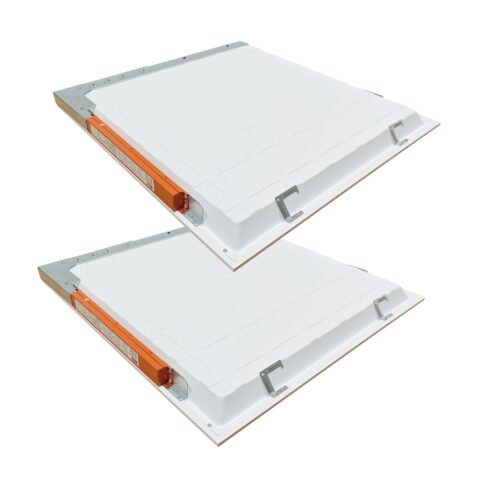
- Fixture-mounted switches: Some panels use a physical CCT selector located on the back of the fixture or driver compartment. The desired setting may need to be chosen before the panel is placed into the ceiling grid.
- Junction-box or driver switches: Some models require access above the ceiling or inside an electrical compartment to change the CCT.
- Accessible field selectors: Certain fixtures provide a switch that remains accessible during service or commissioning.
- Control-based adjustment: Some tunable-white or digitally controlled systems can change color temperature through wall controls, software, networked lighting controls, or a building-management system.
Before ordering selectable-CCT fixtures, confirm the adjustment method, available CCT settings, whether power must be turned off before changing the setting, and whether the selector remains accessible after installation. If the adjustment requires above-ceiling or fixture access, establish and document the desired setting during installation or commissioning.
Recommended Foot-Candles for Data Center Lighting
Use the tool below for general starting foot-candle ranges by data center area. It includes server rooms, repair and diagnostic areas, storage areas, corridors, network closets, electrical and mechanical support rooms, equipment staging areas, and security or monitoring work areas.
Foot-candle guidance helps with light-level planning, but it does not determine fixture count, fixture spacing, ceiling compatibility, controls, UPS compatibility, emergency lighting, EMI behavior, equipment clearance, or installation requirements. For mission-critical spaces, request a lighting plan before ordering.
Data Center Lighting Project Example
Project examples help show how data center lighting decisions depend on fixture type, ceiling layout, light levels, controls, uptime requirements, and the operational needs of the facility.
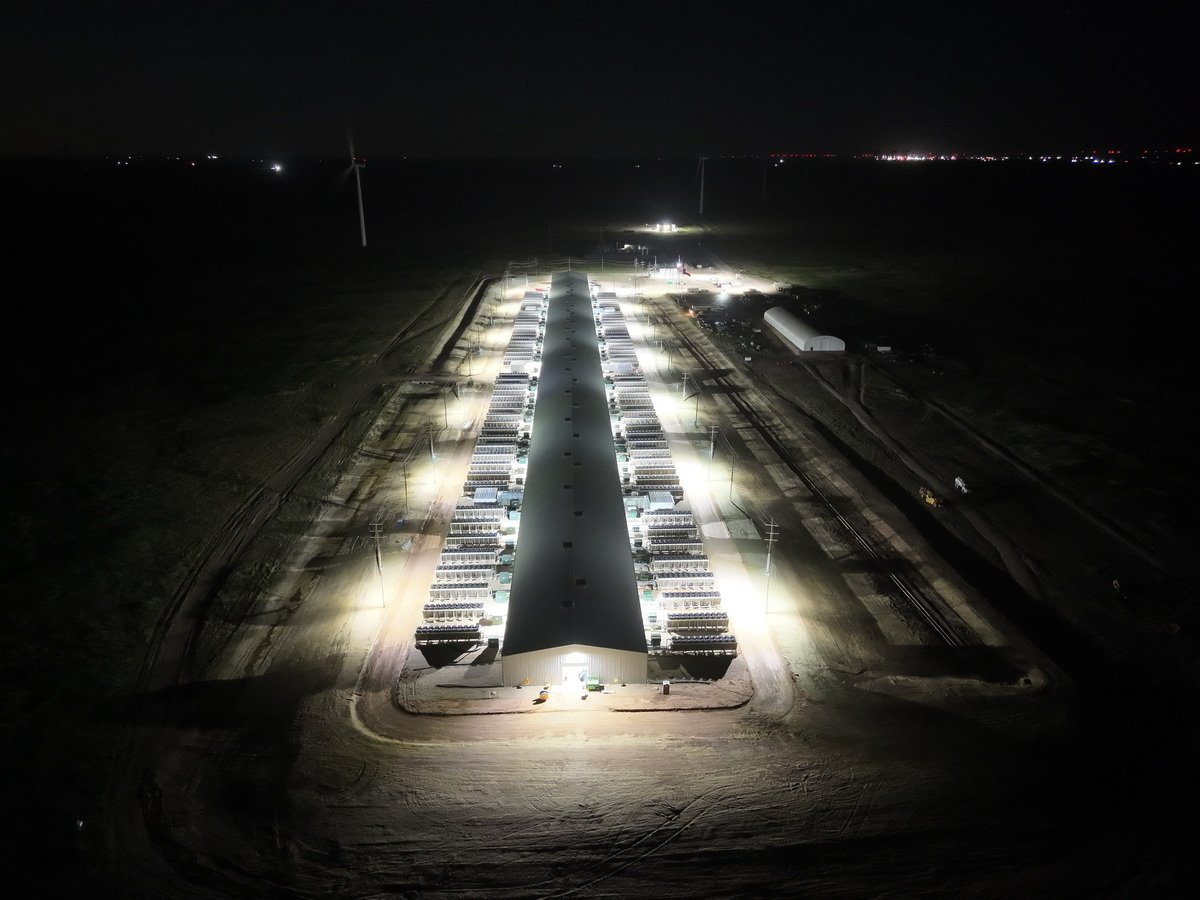
Case Study: Addition of LED Security Lighting to a Data Center in Wildorado, TX
| After: 150 Watt and 310 Watt LED Shoebox Lights | 23350 and 47430 Lumens |
 |
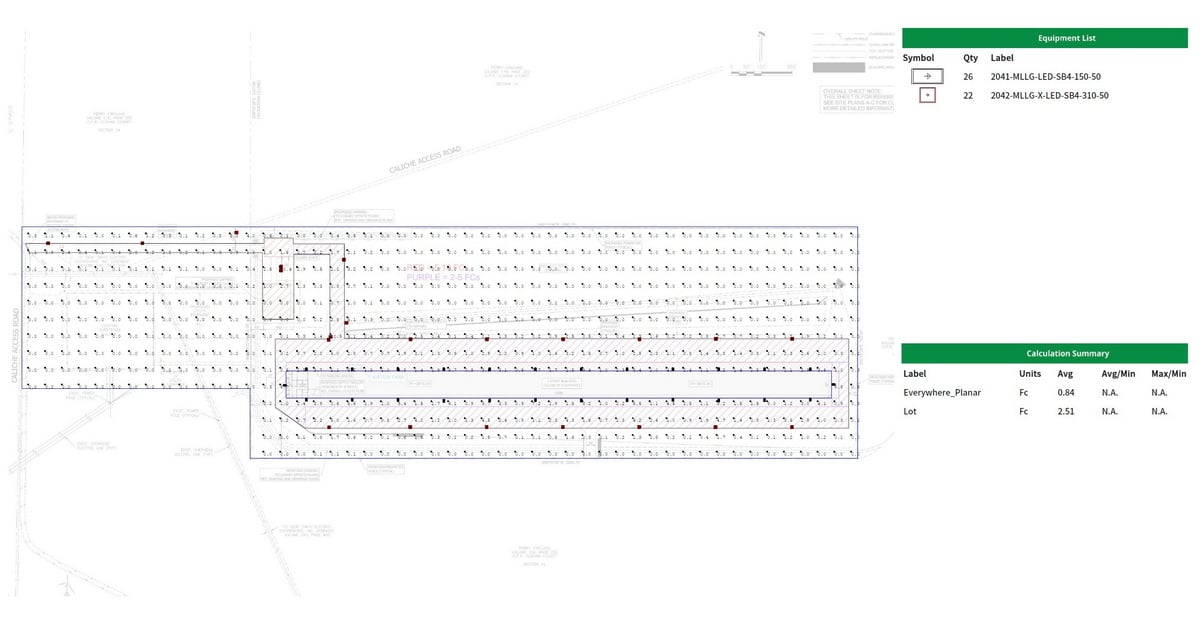
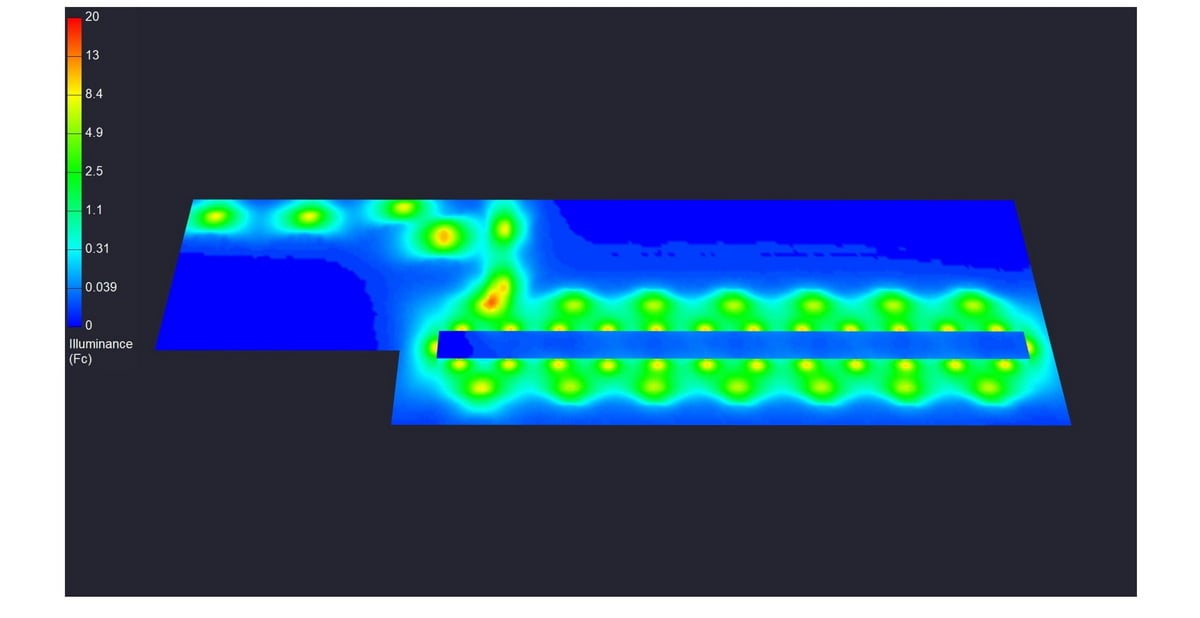
Lighting Plan We Created for the Customer
|
Lighting Plan |
Heat Map |
 |
 |
Data Center Outdoor Lighting Installation Plan Metrics
- Mounting height: 18 ft (150 Watt) and 30 ft (310 Watt) ft
- Fixtures Used: LLS-X-SB4-150/120/100/80-CC-[V]: 80 / 100 / 120 / 150 Watt Adjustable LED Shoebox | 12240 to 22950 Lumens | 3000K / 4000K / 5000K | 100-277V or 277-480V
- Fixtures Used: LLS-X-SB4-310/280/260/240-CC-[V]: 240 / 260 / 280 / 310 Watt Adjustable LED Shoebox | 36720 to 47430 Lumens | 3000K / 4000K / 5000K | 100-277V or 277-480V
- FC achieved: 2.51 FC average
Data Center Lighting Certifications, Rebates, and Warranty Support
Selected LED data center lights from LED Lighting Supply carry a safety listing such as UL, ETL, or CSA, depending on product. Many models may be DLC or DLC Premium listed for utility rebate support where available. DLC qualification is an efficiency and performance program, not an electrical safety certification. Rebate requirements vary by utility, region, installation, and product listing, so confirm eligibility on the selected product specification before ordering.
Warranty coverage varies by product, with many data center LED fixtures offering a 5-year warranty unless otherwise specified. Before purchase, confirm the exact warranty terms, safety certification, DLC status where applicable, voltage, controls compatibility, selectable-CCT adjustment method where applicable, emergency backup requirements, UPS compatibility, mounting conditions, environmental exposure, and suitability for the data center layout and operational needs.
Common Data Center Lighting Mistakes
Beyond fixture selection and layout, successful data center projects depend on clear procurement documents, coordinated commissioning, and a maintenance plan that supports continuous operations.
- Ordering from an incomplete fixture schedule: Include the exact voltage, lumen package, CCT setting, driver, dimming method, mounting accessories, emergency option, and required listing for each fixture type. Similar-looking models can have materially different specifications.
- Substituting fixtures without reviewing photometric and electrical changes: A substitute may change light distribution, delivered illuminance, inrush current, dimming behavior, emergency operation, dimensions, or mounting requirements. Review substitutions before installation.
- Leaving controls uncommissioned: Occupancy sensors, dimming zones, time schedules, daylight settings, and BMS interfaces should be tested and documented after installation. Poor sensor settings can create nuisance switching or inadequate light in work areas.
- Not testing the emergency-power sequence: Where lighting is served by backup generator, UPS, battery backup, or emergency circuits, test actual transfer and operating behavior with the selected fixtures and controls rather than assuming compatibility.
- Failing to preserve replacement information: Record installed model numbers, driver details, CCT selections, control settings, locations, and warranty information. This helps maintain a consistent appearance and simplifies future service.
- Buying solely on initial fixture cost: Compare service access, driver replaceability, spare-fixture strategy, expected operating hours, control capability, warranty terms, and the operational impact of future maintenance.
- Changing rack or cable-tray layouts without revisiting lighting: Later changes can block light, introduce glare, limit fixture access, or affect airflow clearances. Review lighting impacts when overhead infrastructure or equipment layouts change.
Request a data center lighting plan, and our Product Specialists can help review fixture type, ceiling layout, light levels, color temperature, selectable-CCT configuration, controls, UPS compatibility, emergency lighting, equipment clearance, and published product specifications for your data center lighting project.
LED Data Center Lighting FAQs
How Do I Choose The Right Fixture Type For A Data Center?
Choose the fixture type based on room function, ceiling structure, fixture clearance, control requirements, emergency lighting needs, and whether the project is a retrofit or new installation. 2x2 and 2x4 LED panels are common for grid ceilings, while linear, low bay, vapor tight, or task lighting may be appropriate for support spaces, non-standard ceilings, or detailed work areas.
When Should I Use 2x2 Versus 2x4 LED Panels?
Use 2x2 LED panels for compact grid-ceiling layouts in areas such as network closets, monitoring rooms, corridors, and smaller rooms. Use 2x4 LED panels for server rooms, data halls, staging areas, repair rooms, storage areas, and larger grid-ceiling spaces where broader coverage and fewer fixtures may be preferred.
What Should Be Confirmed Before Ordering Data Center Lighting?
Confirm the selected product specifications, ceiling compatibility, electrical requirements, voltage, controls compatibility, emergency backup needs, UPS compatibility, mounting conditions, environmental exposure, equipment clearance, and operational needs before ordering. Product ratings, controls, certifications, and warranty coverage vary by model.
Should A Photometric Plan Be Used For Data Center Lighting?
A photometric plan is recommended for data halls, server rooms, repair areas, NOC spaces, security rooms, corridors, and other mission-critical areas where fixture placement, light levels, uniformity, glare, controls, or emergency lighting need confirmation before ordering. Foot-candle guidance alone does not determine fixture count, spacing, ceiling compatibility, controls, UPS compatibility, equipment clearance, or installation requirements.
How Should Controls Be Planned For A Data Center Lighting Project?
Confirm compatibility with 0-10V dimming, occupancy sensors, daylight controls, remote controls, timers, or BMS systems before ordering. Dimmable LED panels are used in operations rooms, monitoring areas, and spaces where light levels need adjustment for screen visibility, night shifts, maintenance, or energy management.
What Should Be Reviewed For UPS And Emergency Lighting?
Confirm whether fixtures must operate on emergency circuits, battery backup, generator power, or UPS systems, and test compatibility where emergency operation is required. Corridors, egress routes, equipment rooms, and code-sensitive spaces may require illumination during power loss.
What Color Temperatures Are Common For Data Center Technical Spaces?
4000K and 5000K are common color temperature choices for technical spaces. The page describes 4000K as offering a balanced commercial appearance and 5000K as supporting crisp visibility for inspection and maintenance work.
Can LED Lighting Be Used To Replace Older Data Center Fixtures?
Many data center lighting projects replace fluorescent, metal halide, or older HID fixtures with LED panels or other LED fixtures. Properly selected LED lighting can reduce maintenance, improve control compatibility, support dimming or occupancy strategies, reduce lighting-related heat compared with older technologies, and provide more consistent light levels in mission-critical spaces.